Broadcast campaigns with receipts. Sent is not the metric. Replied is.
Pick an audience from tags, filters, or a CSV, schedule the send, and watch delivered, read, and replied in one funnel.
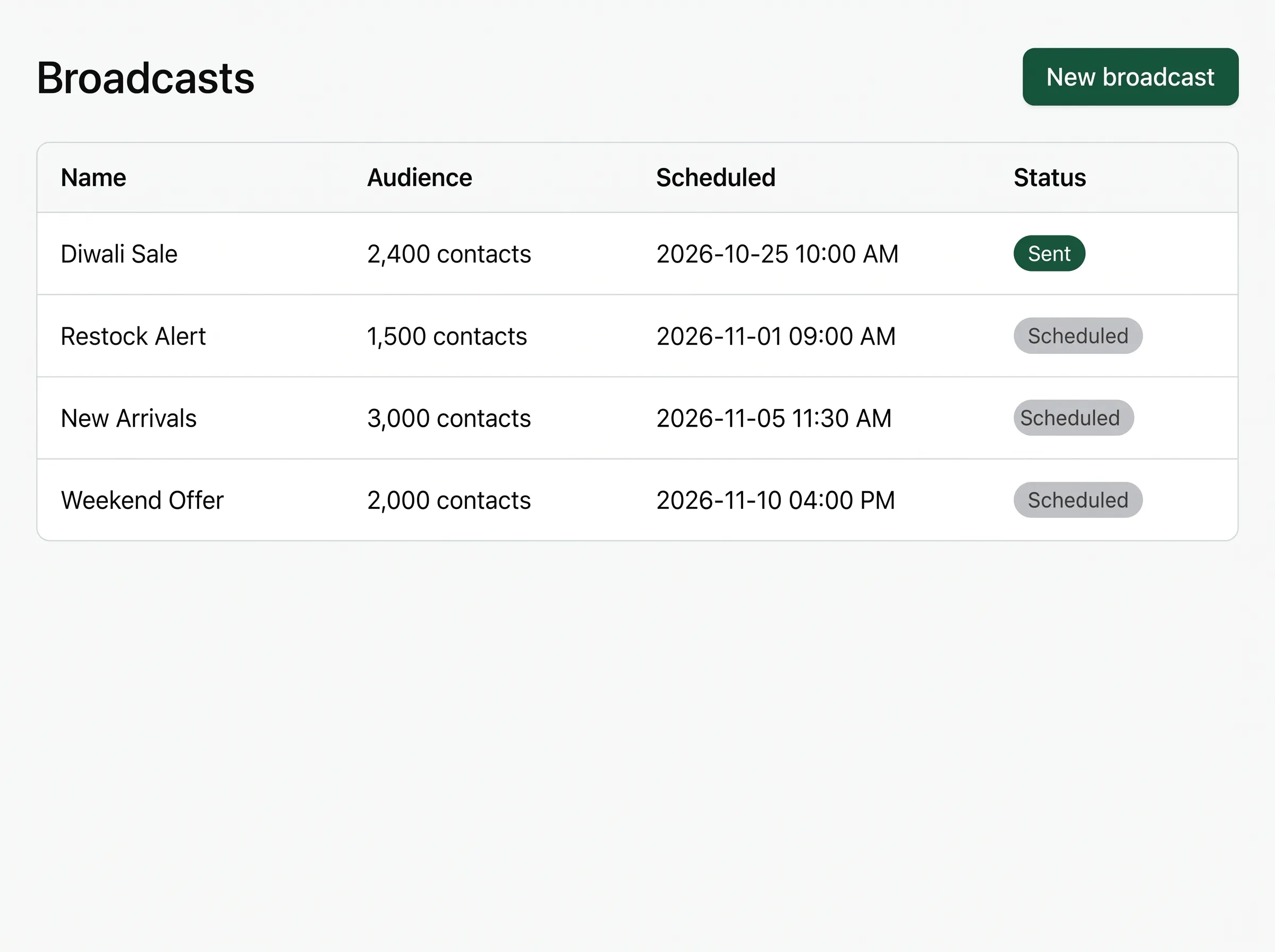
Audiences, not blasts. The right segment beats the biggest list.
Build the audience from contact tags and filters, or upload a CSV. You see a live recipient count while composing, and a campaign that would blow past your plan is blocked before it starts, not halfway through.
Compliant by construction. The rules are built into the sender, so campaigns cannot break them.
Meta-approved templates
Broadcasts go out as pre-approved templates, the only kind WhatsApp allows at scale.
Opt-outs suppressed
Anyone who unsubscribes is excluded automatically, from this campaign and the next.
Throttled to your tier
Sends pace themselves to Meta’s limits for your number, so your quality rating survives the campaign.
Deliverability is the whole game. A throttled campaign outlives a fast one.
Meta scores every WhatsApp Business number with a quality rating, and that rating decides how far your campaigns reach. Dump ten thousand messages at once and you gamble with it. So Wapflow throttles every campaign to the per-day tier Meta assigned your number, a tier that grows with good sending behavior. Sends pace themselves instead of racing the limit, and the rating survives the campaign.
The sender enforces the timing rules too. When a customer messages you, a 24-hour service window opens and replies inside it flow freely. Outside that window, only Meta-approved templates go out, so a campaign can never send something WhatsApp would reject. Anyone who opted out is excluded automatically, from this campaign and every one after it.
Then judge the result by the funnel, not the send count. Meta charges per delivered message, so sent tells you what you spent; delivered, read, and replied tell you what you got. A launch or restock campaign is the classic case: estimate its Meta cost with the pricing calculator before it goes out, and when replies come back, let a no-code automation answer the first message. Your plan covers the platform, sized by send volume on the pricing page, with Meta’s fees passed through at cost.
Set it, and actually forget it. Campaigns keep their promises even when servers do not.
Schedule ahead
Set the send time and close the laptop. A durable scheduler fires it, even after a restart.
Pause mid-flight
Pause, resume, or cancel a running campaign. Remaining recipients simply wait.
No send lost or duplicated
Recipients are persisted before sending starts. If anything crashes, the campaign resumes exactly where it stopped.
Every campaign, accounted for. A funnel from sent to replied, per campaign, exportable.
Replies land in the shared team inbox where your team or an AI agent picks them up. The dashboard keeps active campaigns and totals in one view.
Diwali Sale
- Sent2,400
- Delivered2,341
- Read1,876
- Replied412
Sample campaign. Opt-outs excluded automatically.
Broadcasts, explained.
Is broadcasting on WhatsApp allowed?
Yes, on the official Business API, to people who opted in, using Meta-approved template messages. Meta reviews every template before it can be sent and assigns it a category: marketing, utility, or authentication. Wapflow only sends approved templates, suppresses opt-outs automatically, and paces each campaign to the sending tier Meta assigned your number. That combination is what keeps your quality rating, and your number, healthy.
How many messages can I send?
Your plan sets a monthly quota, and Meta sets a per-day tier for your number that grows with good sending behavior. Wapflow checks your plan before a campaign starts and paces sends to your tier so you never trip the limit. A campaign that would blow past your plan is blocked before it starts, never stopped halfway through; upgrade and rerun it, or wait for the monthly reset.
How is this different from broadcast lists in the WhatsApp app?
App broadcast lists cap at 256 contacts and only reach people who saved your number. API broadcasts reach your whole opted-in audience, personalize per contact, and report delivery, reads, and replies per campaign. You build the audience from contact tags, filters, or a CSV upload, watch a live recipient count while composing, and schedule the send for later. Replies land in the shared team inbox instead of a personal phone.
What does a broadcast cost?
Meta charges a per-message fee that Wapflow passes through at cost, with zero markup. Since July 2025, Meta prices per delivered message, by template category and by the recipient’s country, so you pay only for messages that actually arrive. Your plan covers the platform, and the pricing calculator on this site estimates a campaign’s Meta cost before you send it.
Can I export campaign results?
Yes. Every campaign has a funnel view of sent, delivered, read, and replied, and exports to CSV. The dashboard keeps active campaigns and totals in one view, so you can compare this launch with the last one. Sent is not the metric worth optimizing; replied is, and the funnel shows exactly where each campaign lost people.
Be first in line.
Early access is rolling out to the waitlist in order.